
1. You login https://onedrive.live.com/about/en-us/signin
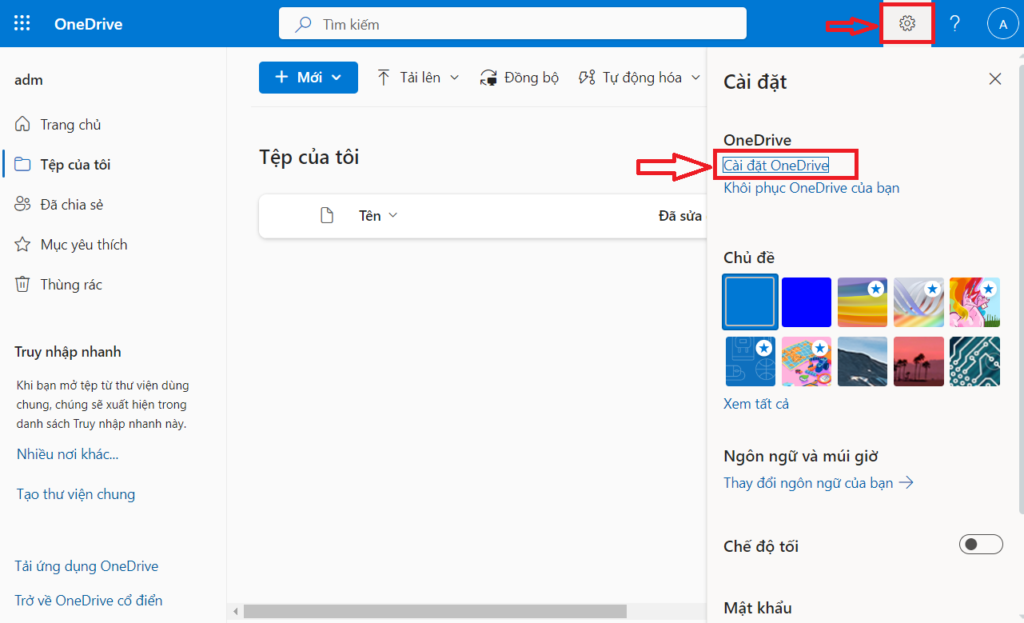
2. Click “OneDrive settings”
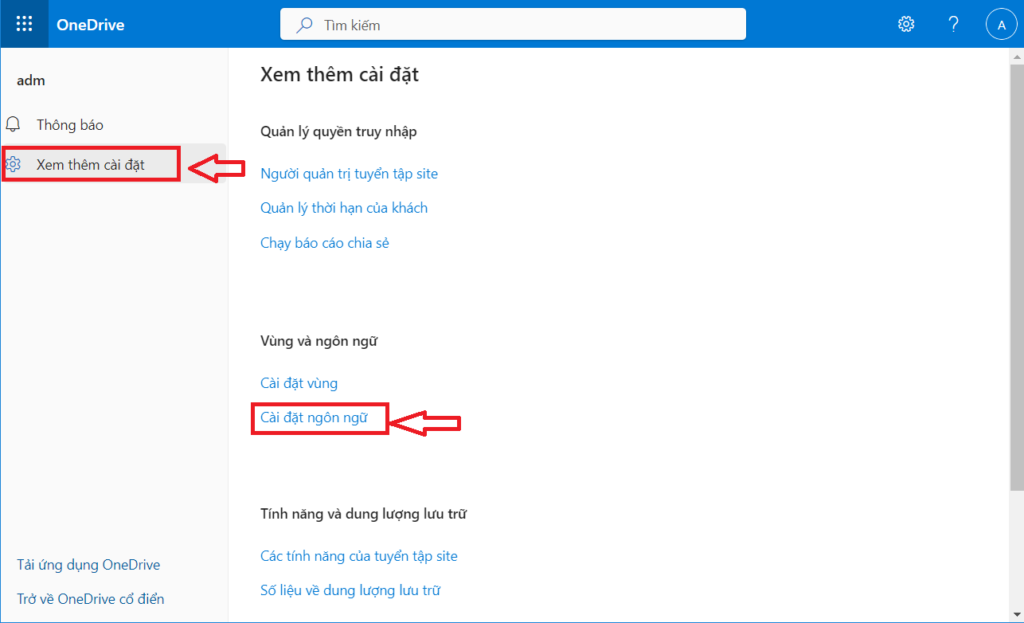
3. Click “More Settings”, next click “Language settings”
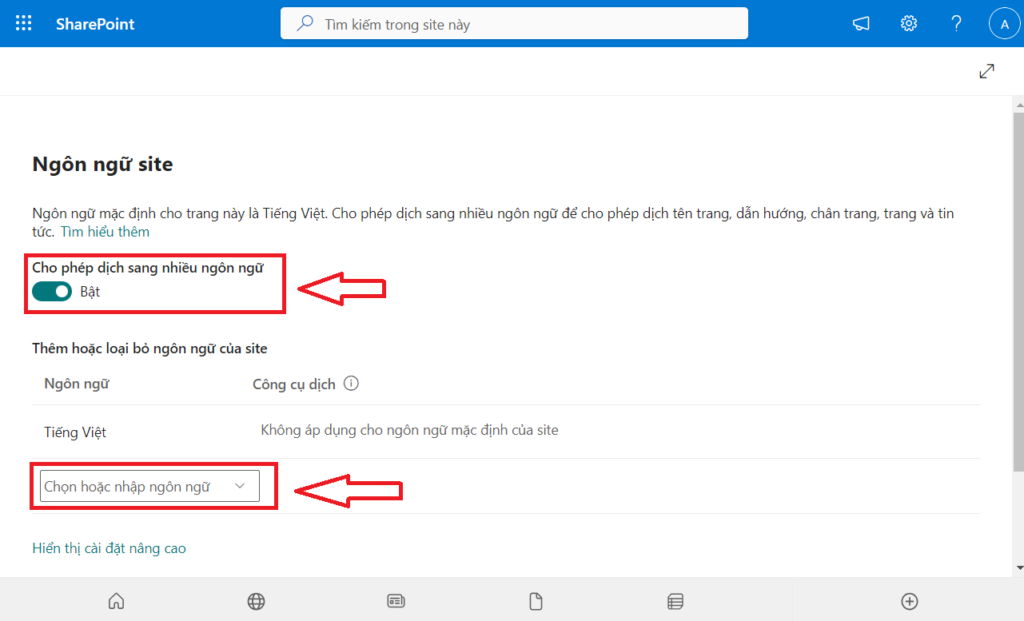
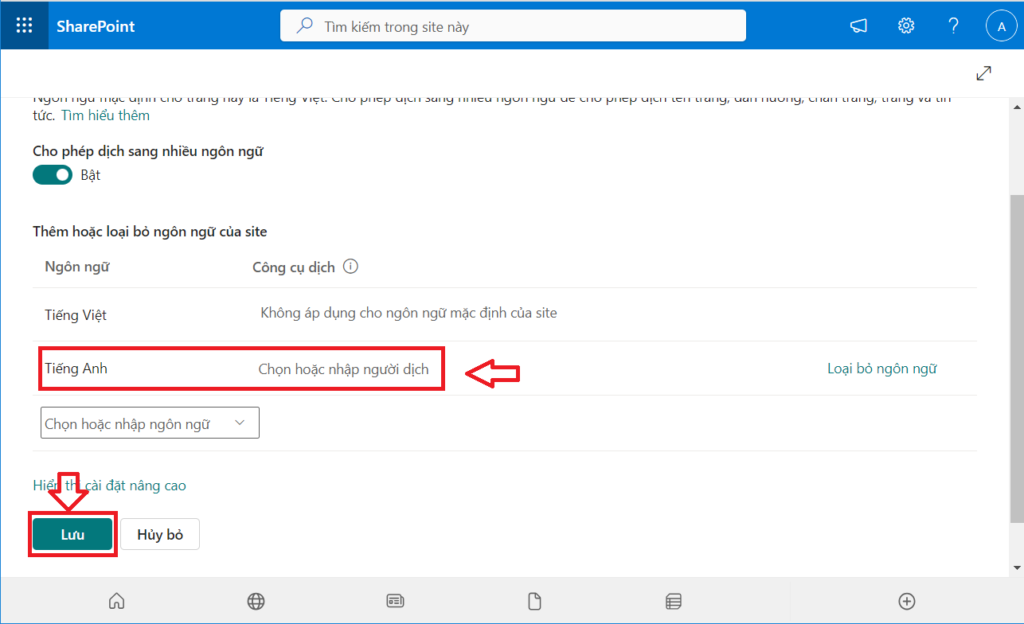
4. Enable translation into multiple languages => Enable
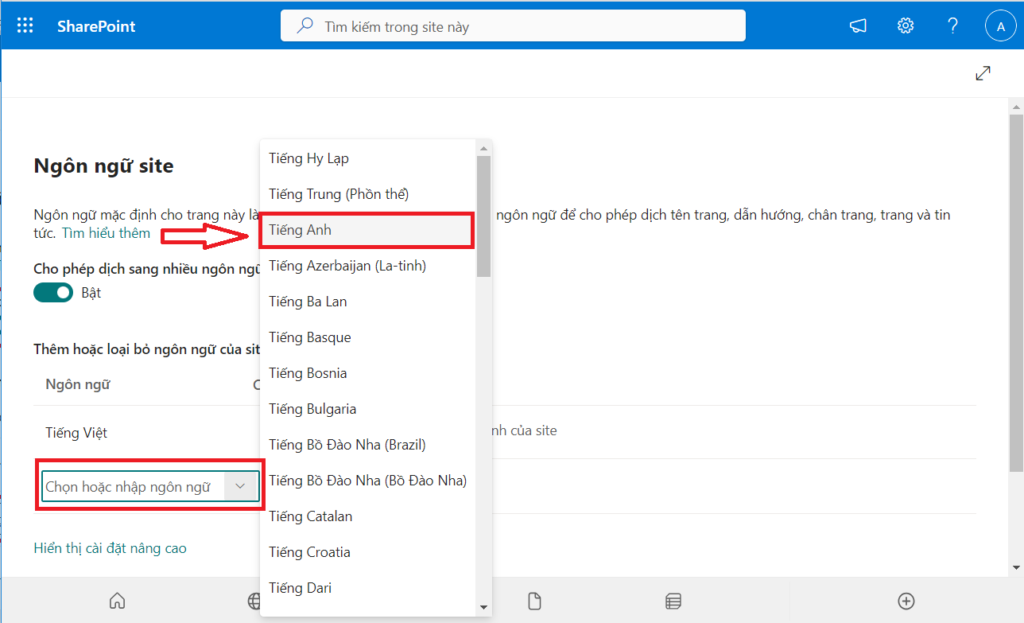
5. Select or type a language => English
6. After select Language, click “Save”
7. Log out, close the browser and log back in

 No products in the cart.